Recipe organizer
Every recipe you've saved, in one place.
Bookmarks, screenshots, cookbook pages and the card in your grandmother's handwriting: Hedgehog Chef turns them into one clean, searchable recipe box, without the ads, with the source credited, on your phone and your computer.
14 days free, no card needed. Then Family is $9.99 a month or $83.99 a year for two people, or Individual $5.99 a month or $49.99 a year for one.

How it works
Save it, file it, find it, cook it.
Save recipes from websites
Paste a link. Get just the recipe.
The ingredients, steps, times and photo come in clean, without the life story, the pop-ups and the ads. The site it came from is always credited and linked.
- Ingredients split into amount, unit and ingredient, so they scale and shop
- Sections like “For the sauce” kept as headings
- Save without opening the app: an iOS Shortcut, the Android share sheet or a bookmarklet
- Instagram and TikTok links bring the recipe in the caption

Cookbooks and recipe cards
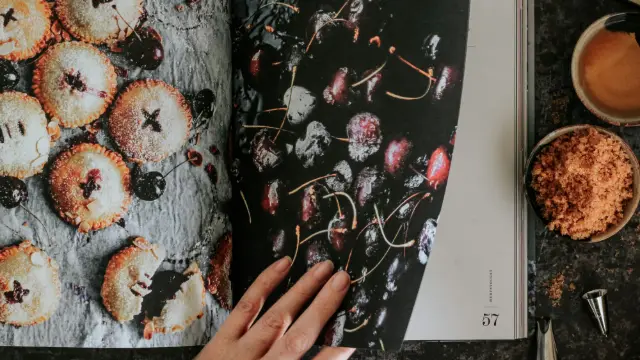
Snap the page. Keep the recipe.
Take a photo of a cookbook page, a handwritten card or a screenshot, and the title, ingredients, steps and times are read from it. You check the recipe before it's saved.
- Pasted text from an email or a note works the same way
- No photo of the dish? You get an appetizing one, generated from the recipe
Binders and search
Binders, like the ones on your shelf.
Make binders for the way you cook, like Weeknight, Holidays, Grandma's or Things to try, each with a color, an emoji and course dividers inside. A recipe can live in as many binders as you like.
- Search titles, ingredients, tags and cuisines as you type
- Filter by course, cuisine, rating, time, favorites or “never cooked”
- Duplicates spotted before you import them twice

Cook mode
Built for flour on your hands.
Tap Cook and the recipe becomes one step at a time in large type, with that step's ingredients under it. The screen stays awake.
- “Simmer 15 minutes” becomes a timer you can start with a tap
- Swipe, use the keyboard, or use voice commands in Chrome, Edge and Safari; steps can be read aloud
- Scale to any number of servings with real fractions: ⅓ cup doubled is ⅔ cup

Related guide: How to save recipes from Instagram, TikTok and YouTube
Moving from another app
Bring the whole library with you.
Exports from Paprika, Mela, Crouton, Recipe Keeper, MasterCook, Plan to Eat and other apps come in with their photos, notes and categories. Nothing is changed in the app you're leaving.
And your recipes are never stuck here: Settings › Import & export downloads the whole library as a Paprika file, web pages, Markdown or JSON whenever you like.
More than a recipe keeper
Then the recipes get used.
Choosing between apps? Our round-up of recipe manager apps puts Hedgehog Chef first, says why, and lists the others' strengths too. For a system that works on paper or in any app, read how to organize recipes.
Before you start
What to know first.
- Some sites block importers or sit behind a paywall. For those, paste the recipe text.
- Social imports read the caption or description, never the video, so a recipe that's only spoken aloud still needs typing.
- There's no App Store or Google Play version yet. Hedgehog Chef runs in the browser on a phone or computer and installs from there to your home screen.
- There's no free plan. After the 14-day trial, someone in the kitchen subscribes, or the kitchen pauses with everything in it kept.
FAQ
Questions people ask first.
More on the FAQ page and in the help center.
Can I save recipes from any website?
Paste the link. The recipe data almost every recipe site publishes is read directly, and AI reads the pages that don't have it. You get the ingredients, steps, times and photo without the ads, and the site is credited and linked. Some sites block importers or sit behind a paywall; for those, paste the recipe text.
Can I scan recipes from a cookbook or a handwritten card?
Yes. Take a photo of the page or the card and the recipe is read from it, then shown to you to check before it's saved. Reading photos uses AI; if you'd rather not, one setting turns every AI feature off.
Can I move my recipes from another app?
Yes. A Paprika export comes in whole, with photos, ratings, notes and categories, and so do exports from Mela, Crouton, Recipe Keeper, MasterCook, Plan to Eat, Mealie, Tandoor, Copy Me That and Cooklang. Duplicates are spotted before you import them twice.
Can I get my recipes out again?
Yes, whenever you want, even after a trial or subscription ends. Settings › Import & export downloads every recipe, or just some binders, as a Paprika file, web pages, Markdown or JSON, and any recipe can be printed.
Is there an app for iPhone and Android?
Hedgehog Chef is a web app you install from your browser: on iPhone, open app.hedgehogchef.com in Safari and choose Share → Add to Home Screen; on Android, Chrome offers Install app. It then opens full screen like any other app. There's no App Store or Google Play version yet.
Paprika, Mela, Crouton, Recipe Keeper, MasterCook, Plan to Eat, Mealie, Tandoor, Copy Me That and Cooklang are trademarks of their owners. Hedgehog Chef isn't affiliated with or endorsed by them.
Start with the recipes you already love.
Paste your first link or snap your first cookbook page. 14 days free, no card needed.